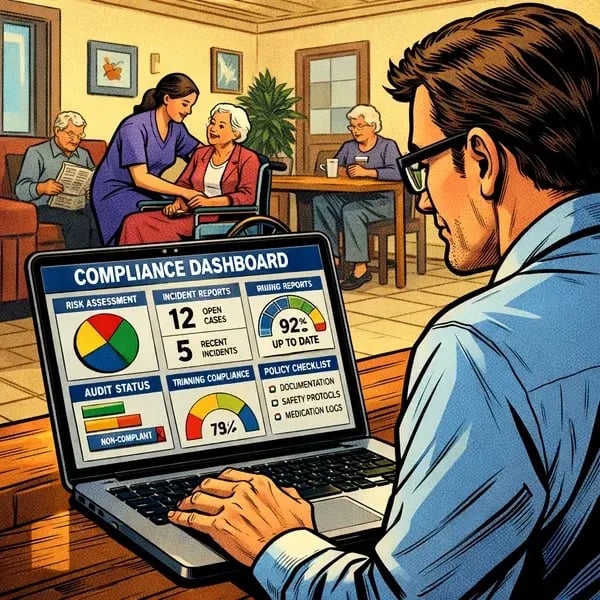
Microsolve helps aged care providers across NSW transform Microsoft 365 Modern Workplace from “email and files” into a governed, monitored environment that supports the new Act with confidence.

How Microsoft 365 Helps Aged Care Providers Meet the New Aged Care Act Requirements
From 1 November 2025, the new Aged Care Act requires providers to demonstrate continuous compliance, digital reporting through GPMS, and live access to audit evidence – not just tidy folders at audit time. This shift moves compliance from episodic audits to continuous oversight, with mandatory digital reporting through GPMS and stronger enforcement powers for the Aged Care Quality and Safety Commission (ACQSC).
Microsoft 365 already sits at the centre of many aged care organisations, and when configured correctly, it can also become your compliance, information management and security engine. To keep up with these new requirements, providers need systems that maintain live, reliable evidence that doesn't depend upon individual staff members.
What the New Aged Care Act Means for IT
Under the new Act, the ACQSC can request evidence at any time, and key reporting must be submitted digitally through GPMS. That shifts IT from “keeping the lights on” to enabling structured record‑keeping, secure data flows and reliable access to evidence across the organisation.

-
Perpetual audit evidence: Evidence of care, complaints, incidents and governance must be available on demand – not assembled in a rush before an announced visit.
-
Mandatory digital reporting via GPMS: Provider and service information, incidents and quality indicators must be captured in systems that support accurate, timely reporting.
-
Stronger Quality Standards: Strengthened standards increase expectations for information management, privacy and security, with non‑compliance carrying higher penalties and reputational risk.
-
Whole‑of‑organisation responsibility: Boards, executives, care leaders and IT all share accountability for how systems support compliance.

How Microsoft 365 Supports Continuous Compliance
Microsoft 365 already includes many of the controls aged care providers need for continuous compliance – but they only work if they are configured, governed and monitored. Microsolve designs Microsoft 365 environments where retention, audit logging and information protection quietly support your Quality Standards every day.
Retention Policies as Your Evidence Safety Net
- Use Microsoft 365 retention and records management policies so emails, files and Teams conversations are kept for the right period – even if staff delete or move items.
- Map retention labels to different record types (clinical correspondence, incidents, complaints, governance records) so you can prove how long evidence is kept.
Audit Logs for Who Did What, When
-
Enable Microsoft 365 audit logging so you can track access, changes, sharing and deletions across Exchange, SharePoint, OneDrive and Teams.
- Use these logs as part of your internal assurance and to respond to ACQSC or privacy investigations when required.
Data Loss Prevention and Information Protection
- Apply Data Loss Prevention (DLP) policies to reduce the risk of sensitive information being emailed or shared outside approved channels.
- Use sensitivity and information protection labels to clearly identify, encrypt and restrict access to high‑risk content, such as resident records or incident reports.
SharePoint as Your Central Policy and Procedure Library
- Build a structured SharePoint site for policies, procedures, forms and templates, with version history and approvals.
- This supports the strengthened Quality Standards – particularly Standard 2, Outcome 2.7 Information Management – by demonstrating controlled, current documentation.
Microsolve configures these controls to match your legislative obligations and operational realities, then monitors them as part of a managed Microsoft 365 service. That means your team focuses on care and quality, while we keep the compliance plumbing working in the background.
Protecting Resident and Organisational Information
The new Act recognises different classes of information – including relevant, protected and personal – each with its own handling expectations. At the same time, aged care providers must continue to meet Privacy Act obligations for health and personal information.
Relevant Information
Operational and governance records that show how you run services and manage risk. Microsoft 365 can store these in controlled SharePoint sites with role‑based access and retention.
Protected Information
Sensitive regulatory, incident or financial information that needs tighter control and auditability. Microsoft 365 encryption, rights management and privileged access rules help ensure only the right people can see or share it.
Personal Information
Resident, carer and staff information governed by the Privacy Act and Quality Standards. Multi‑factor authentication, conditional access and endpoint management in Microsoft 365 help prevent unauthorised access or loss.
- Conditional access rules that restrict access based on role, device health, location and risk.
- Built‑in encryption at rest and in transit across Exchange Online, SharePoint and OneDrive.
- Rights management that limits forwarding, downloading or printing of highly sensitive documents.
- Defender for Office 365 to reduce phishing and malware risk impacting resident data.
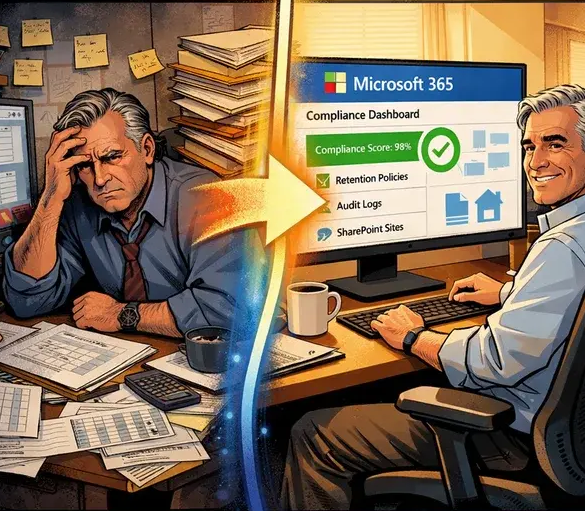
Moving From Manual to Managed Compliance
Many aged care providers still rely on network drives, isolated laptops and shared inboxes to keep critical records – making it hard to prove that information is complete, current and secure. The new Act’s continuous compliance model exposes the risk in these manual, person‑dependent processes.

From Manual...
- Spreadsheets tracking policies, training and incidents in multiple versions.
- Ad‑hoc folder structures on shared drives with no retention or access rules.
- Evidence scattered across personal mailboxes, USB drives and paper files.
- Compliance workarounds that rely on a few key staff remembering the process.
... to Managed with Microsolve
- A well‑governed Microsoft 365 tenant with clear structures for sites, teams and mailboxes.
- Automated retention and classification policies that align with your obligations and record types.
- Structured SharePoint sites for policies, incidents, complaints, governance and committee records, all with versioning and permissions.
- Monitored security baselines, Secure Score improvement and regular reviews delivered as part of Microsolve’s managed services.
Frequently asked questions
Does Microsoft 365 meet Australian data residency requirements for aged care?
Yes – when configured correctly, Microsoft 365 stores your data in Australian data centres, helping you meet data residency expectations under the Aged Care Act and Privacy Act. Microsolve confirms and documents your tenant’s data location and applies governance to keep data where it needs to be.
How does Microsolve help with ongoing compliance, not just setup?
Microsolve offers managed Microsoft 365 services that include security baseline monitoring, retention and policy reviews, Secure Score improvement and support for audits and digital reporting changes over time. We act as an extension of your quality and IT teams, so your environment evolves as legislation and standards change.
What if our environment is a mix of on‑premises servers and Microsoft 365?
That’s common in aged care; we map your current environment, then create a phased plan to bring email, files and collaboration into a governed Microsoft 365 tenant while respecting clinical system constraints. The goal is to reduce risk and complexity without disrupting resident care.