


How to run a practical IT health check that prepares Australian SMEs for managed support and stronger cyber resilience.
Why an IT health check is the best first step before outsourcing IT
For many Australian SMEs, the first time they think seriously about managed IT support is after a painful incident: a ransomware scare, an invoice fraud attempt, a failed server or a key staff member burning out as the “accidental IT manager”.
At that point, there is pressure to make a quick provider decision without a clear view of what is actually wrong with the environment.
A structured IT health check changes that conversation!
Instead of debating hourly rates and ticket queues, you start with evidence:
- how healthy your core systems are.
- where you sit against Australian guidance such as the ACSC Small Business Cyber Security Guide, and
- what it would take to get to an acceptable level of resilience.
By the time you sign a managed support contract, both you and your partner should share the same picture of risks, priorities and success measures.
The most effective health checks focus on a few lenses: risk, reliability, and readiness for modern ways of working. On the risk side, they assess basic cyber hygiene – backups, patching, multi‑factor authentication, email security, and access control – against frameworks that regulators and insurers recognise.
The ACSC’s Small Business Cyber Security Guide at ACSC Small Business Cyber Security Guide is a core reference here, outlining practical steps around backups, updates, account security and staff awareness. Reliability is about uptime and user experience.
A health check should (at a minimum) examine:
- how often systems fail, how quickly issues are resolved, and whether your current mix of on‑prem, cloud and SaaS is helping or hindering staff. That includes looking at remote access paths, Wi‑Fi design and the way line‑of‑business apps are delivered.
- Readiness covers whether your environment can support growth, acquisitions or new services. Are you relying on a single on‑premises server that would be hard to scale or recover? Do you have a clear inventory of sites, devices and applications? Are cloud services like AWS and Microsoft 365 configured to best‑practice, or just “turned on”?
An assessment led by a partner like Microsolve will typically combine automated discovery with interviews and documentation reviews. The output should be a concise report highlighting critical issues to fix now, medium‑term improvements, and “nice to haves” – all mapped to business impact rather than just technology for its own sake.
Running this kind of health check before you change support models helps you compare providers on something more meaningful than price alone. It also sets up a smoother transition, because whoever you choose will inherit fewer surprises and a clearer brief on what success looks like.

Turning ACSC guidance into a simple, evidence-based checklist
Turning an abstract security standard into something you can walk through in an afternoon is the key to getting momentum. The ACSC Small Business Cyber Security Guide at ACSC Small Business Cyber Security Guide is an excellent benchmark, but most business owners don’t have time to translate a 20‑page PDF into a practical checklist for their environment (trust me, it's a dry read)!
A good IT health check does that translation for you and ties it back to risks, costs and business outcomes.
Start by framing the review around a few plain‑language questions:
- If we lost access to email, files or our practice management system today, how long before clients or residents would feel it?
- Who is watching backups, updates and alerts, and how do we know they’re working?
- >Where would an attacker most likely get in – weak passwords, old software, staff being tricked, or something else?
Using the ACSC guide as a reference, your health check should then step through core control areas:
- Accounts and access: Is multi‑factor authentication turned on for Microsoft 365, banking and any web portals holding client or resident data? Are there any shared accounts or old users that should be removed?
- Devices and updates: Are Windows, macOS and mobile devices still supported and patched? Are automatic updates enabled, and is someone checking that updates actually succeed?
- Backups and recovery: What is backed up, how often and where does it live? Has anyone tested restoring files or whole systems in the last three months? Do you have at least one copy that can’t be encrypted by ransomware?
- Email and scams: How do you protect staff from business email compromise and invoice fraud? Do you have processes for verifying bank account changes and large payments, as the ACSC recommends in its guidance on email attacks in the Small Business Guide above?
- Networks and remote access: How do staff connect from home or branch sites? Are internet routers and Wi‑Fi using strong, unique passwords and current encryption standards? Is remote access protected with MFA and locked down to those who really need it?
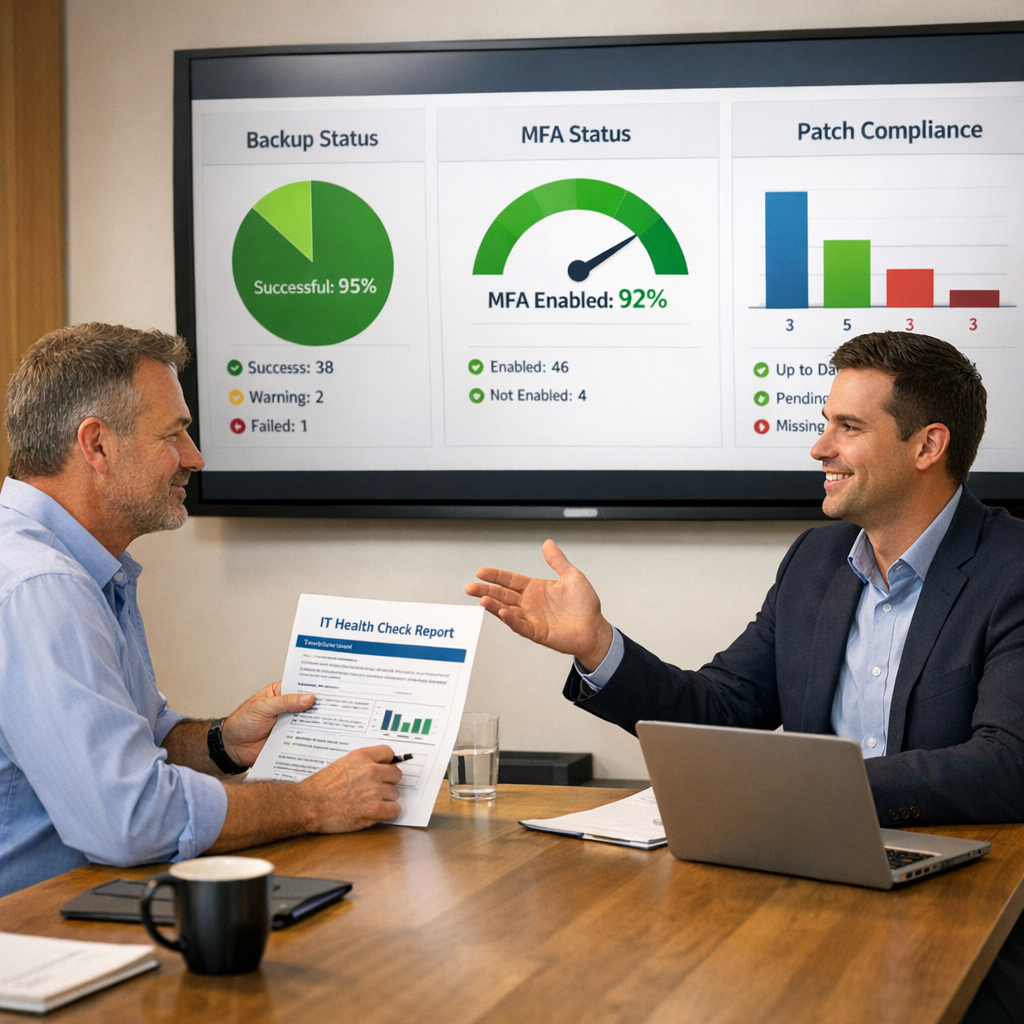
Rather than trying to tick every possible box, focus on evidence. For each area, ask to see a sample – an MFA policy, a backup report, a patch status dashboard, a router configuration summary.
This avoids relying on assumptions or vendor promises and gives you artefacts you can revisit later.
A partner like Microsolve will normally package these checks into a structured assessment, so you leave with both findings and the proof behind them, not just verbal assurances. The goal of this stage isn’t to fix everything on the spot. It’s to surface the few issues that create most of your risk, using a shared language that owners, managers and technical people can all understand.

Embedding the health check into a 12–24 month IT roadmap
The biggest mistake after an IT health check is filing it away and returning to business as usual. To get real value, you need to treat the findings as the first draft of an annually reviewed roadmap that ties IT work to the outcomes your board or leadership team actually cares about!
Things like:
- Fewer outages
- lower breach likelihood
- smoother employee onboarding, and
- predictable spending.
Start by grouping recommendations into themes – for example identity and access, backup and recovery, email and collaboration, networks and connectivity, and governance.
Within each theme, pick one or two high‑leverage actions that your health check flagged. Typical early moves for Australian SMEs include enabling modern authentication and MFA everywhere, cleaning up old user accounts and shared passwords, implementing reliable server and Microsoft 365 backups, and hardening routers and Wi‑Fi in line with ACSC network guidance such as Implementing network segmentation and segregation.
Next, sequence the work over realistic timeframes. Some changes, like turning on MFA or standardising password policies, can be done in days with careful communication. Others – such as redesigning branch networks, migrating to AWS or Microsoft 365, or standardising endpoints – belong in quarterly waves.
A vCIO engagement can give you a structured way to do this. By translating technical gaps into a prioritised program, with task owners, budget rough‑orders and an indicative schedule. The roadmap should also define how you’ll measure progress.
Use a handful of indicators drawn from your health check baseline - some examples could include MFA coverage, device compliance, backup success and restore tests, time to resolve incidents, and staff satisfaction with IT support.
Review these metrics at least quarterly with your managed IT partner so you can adjust course as your business or risk profile changes. Finally, embed the health check as a recurring discipline, not a one‑off project.
Re‑run the assessment annually or after major changes such as acquisitions, new facilities or a move to hybrid work. Over time you’ll see maturity lift in a way that is visible to insurers, auditors and customers – not just in smoother day‑to‑day operations but in the way technology decisions are made.
For SME leaders who feel stuck between DIY IT and a full internal team, this cycle of health check, roadmap and managed improvement is often the most straightforward path to a safer, more resilient environment.